


SternaBell-HW Device
- Register at www.sternabell.eu or directly in the app.
- Turn on the device by moving the switch to the position.
- Immediately after switching on, the red LED flashes once – device initialization was successful.
- The blue LED flashes once every 3 seconds – the device is ready to connect to the phone via Bluetooth.
- Launch the SternaBell app on your phone and log in with your credentials. For the initial setup, the manual at www.sternabell.eu will assist you.
- Click the Start Therapy button.
- Your phone will search for SternaBell-HW and automatically connect to it.
- Successful connection is indicated on the device by the blue LED (flashing twice at 1.5-second intervals).
- After a successful connection, place the bell on your chest so that the breastbone is in the center of the bell, and use the attached pump bulb to suction out the required amount of air.
- Once the desired vacuum pressure is set, press the Start Therapy button.
- If the vacuum pressure drops and the distance inside the bell increases by 10 mm, the acoustic signal will turn on. The signal turns off after suctioning a certain amount of air.
- The therapy is ended by pressing the End Therapy button. Measured data is automatically sent to the portal www.sternabell.eu.
- Close the app by clicking the back button and turn off the device by moving the switch to the position.
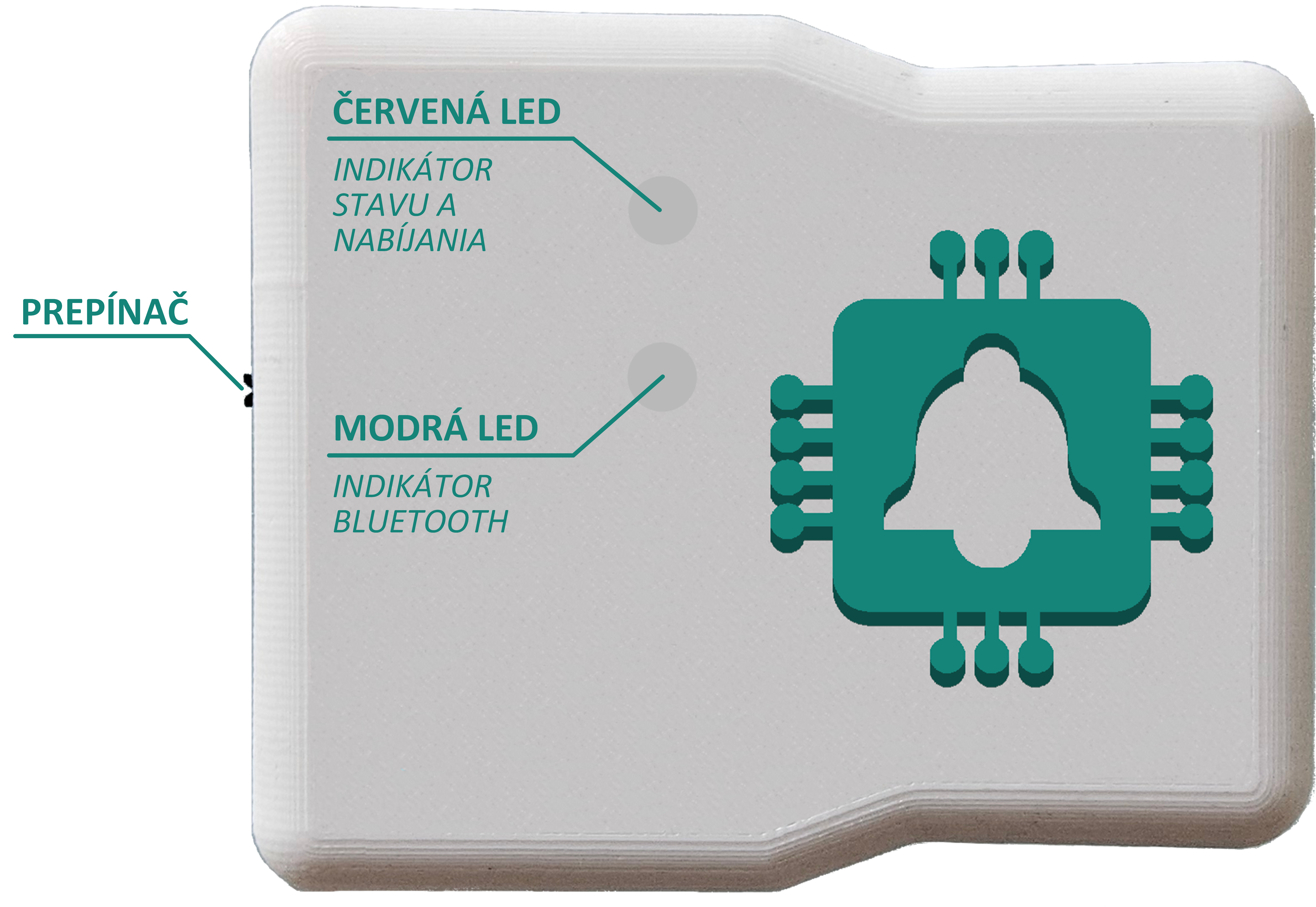
Fig. 1: Top view of SternaBell-HW.
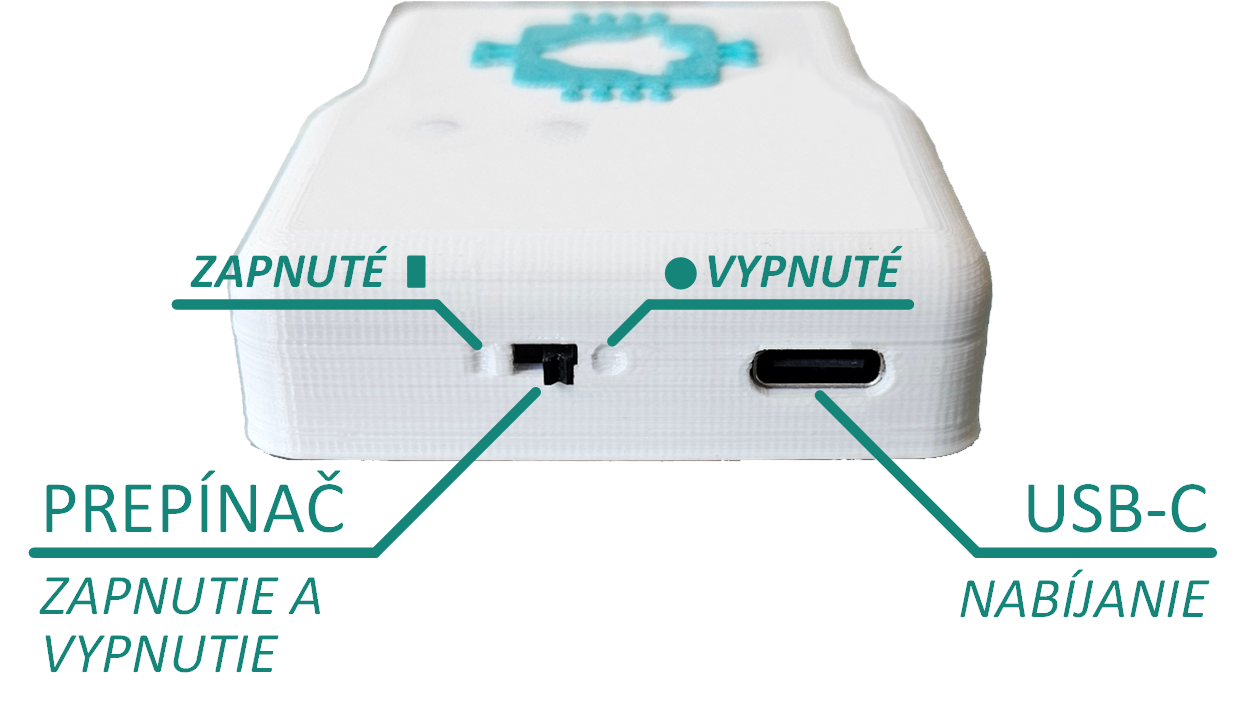
Fig. 2: Side view of SternaBell-HW from the switch side.
- Low battery is indicated by the red LED flashing on the SternaBell-HW or by the indicator appearing in the app.
-
Charge the battery using a cable with a USB-C connector; for charging, you can use:
- A standard phone or tablet charger with 5V voltage.
- A computer, laptop, phone, or tablet.
Red LED (Fig. 1)
- When turning on the device:
- Flashes 1x – error-free state
- Flashes 2x – error, device failed to initialize successfully
- During operation:
- Flashes slowly (0.5s) – low battery, please charge
- Flashes quickly (0.2s) – weak signal
- During charging:
- On - device is charging
- Off - not charging, device is fully charged
- During operation:
- Flashes 1x every 3 seconds – device is visible to the phone/tablet and can be connected via Bluetooth
- Flashes 2x every 1.5 seconds – device is connected to the phone/tablet via Bluetooth
SternaBell Mobile App
The user must be registered to use the mobile application. Registration can be done via this form or within the app. The following settings only need to be performed once during the initial launch. Settings may vary depending on your phone's version.
If you already have login credentials, enter them in the app:
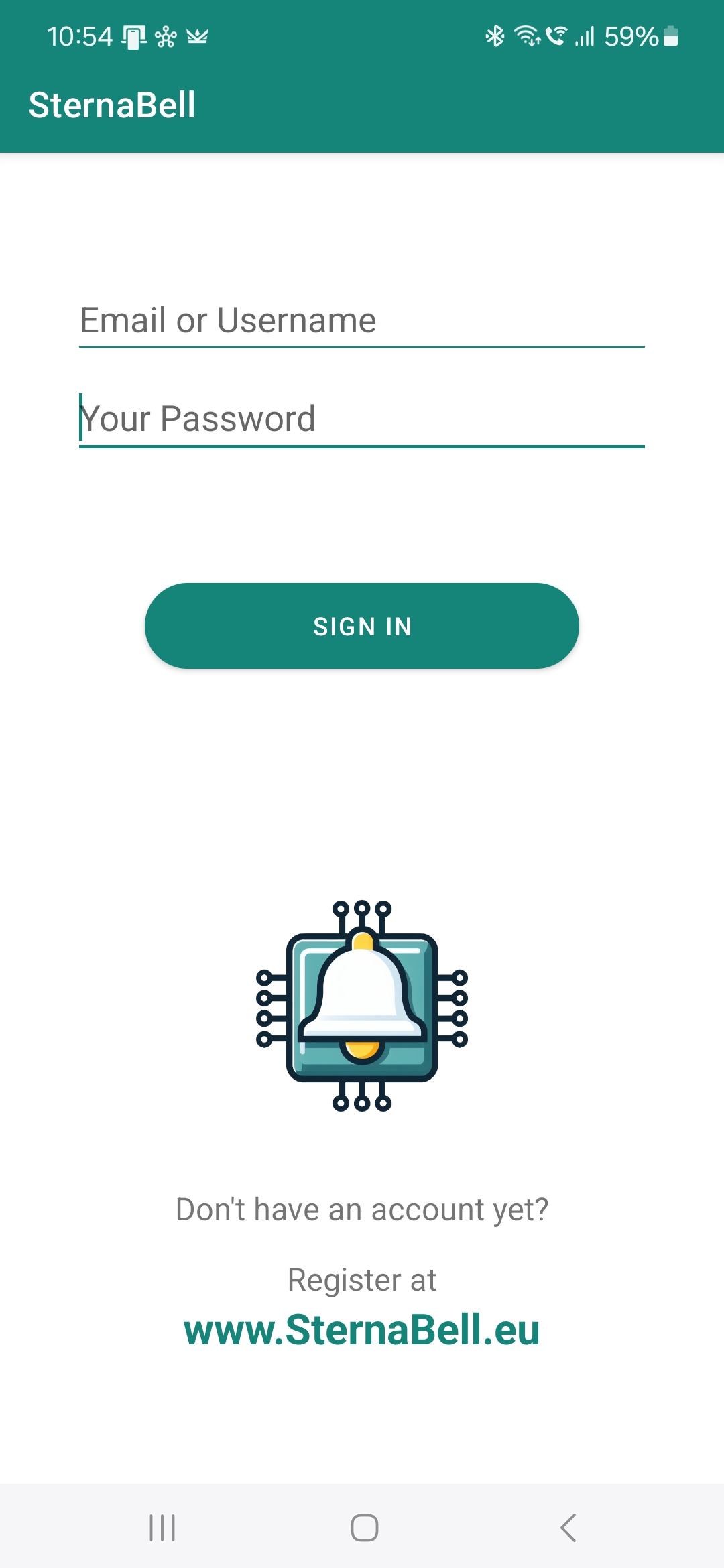
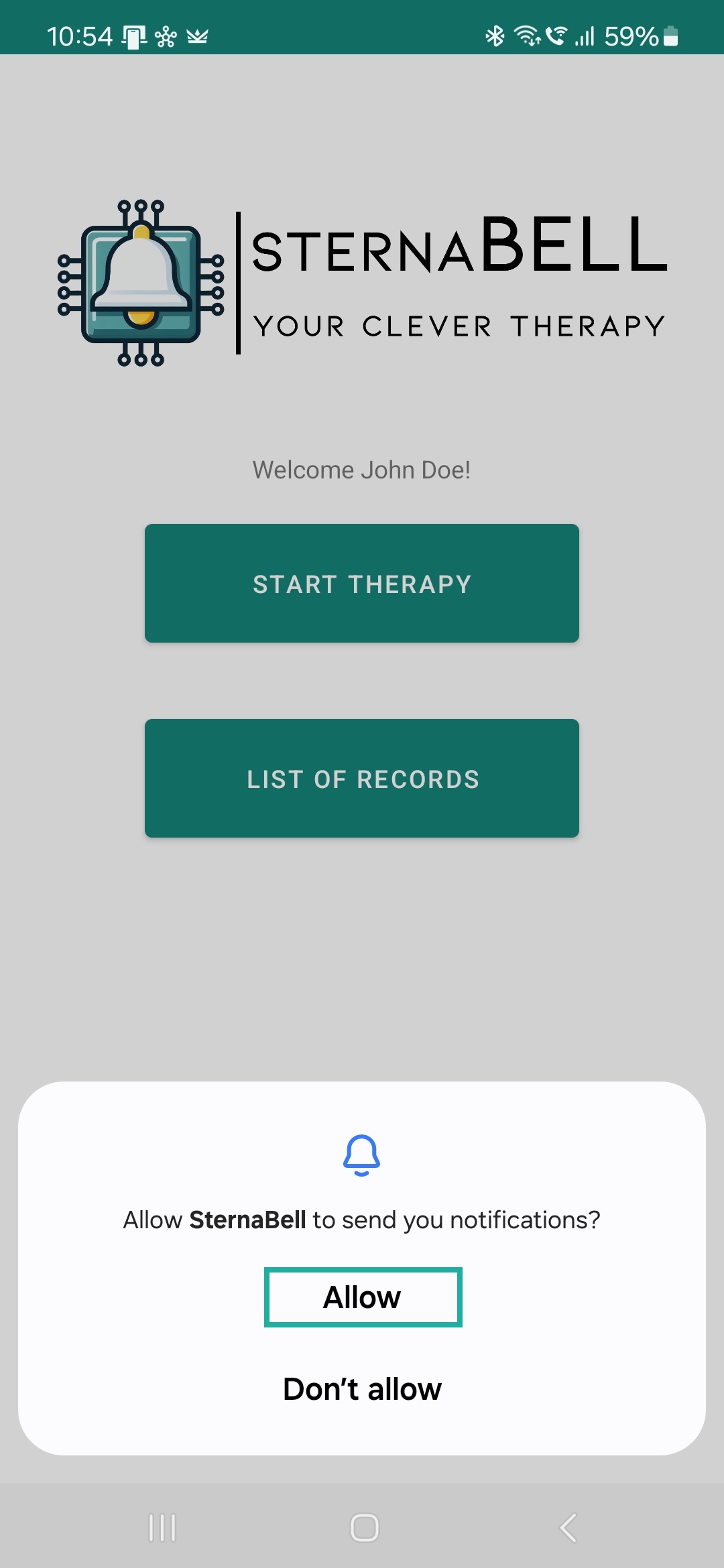
After the first login, your credentials will be securely saved in the phone's memory, and you won't need to enter them next time. A request for permission to send notifications will appear on the main screen. Please allow the app to send notifications; otherwise, the app will not function correctly.
When using the app for the first time, it is necessary to disable battery optimization to prevent the app from "sleeping" during measurements. After clicking the THERAPY button, a prompt to disable battery optimization will appear.
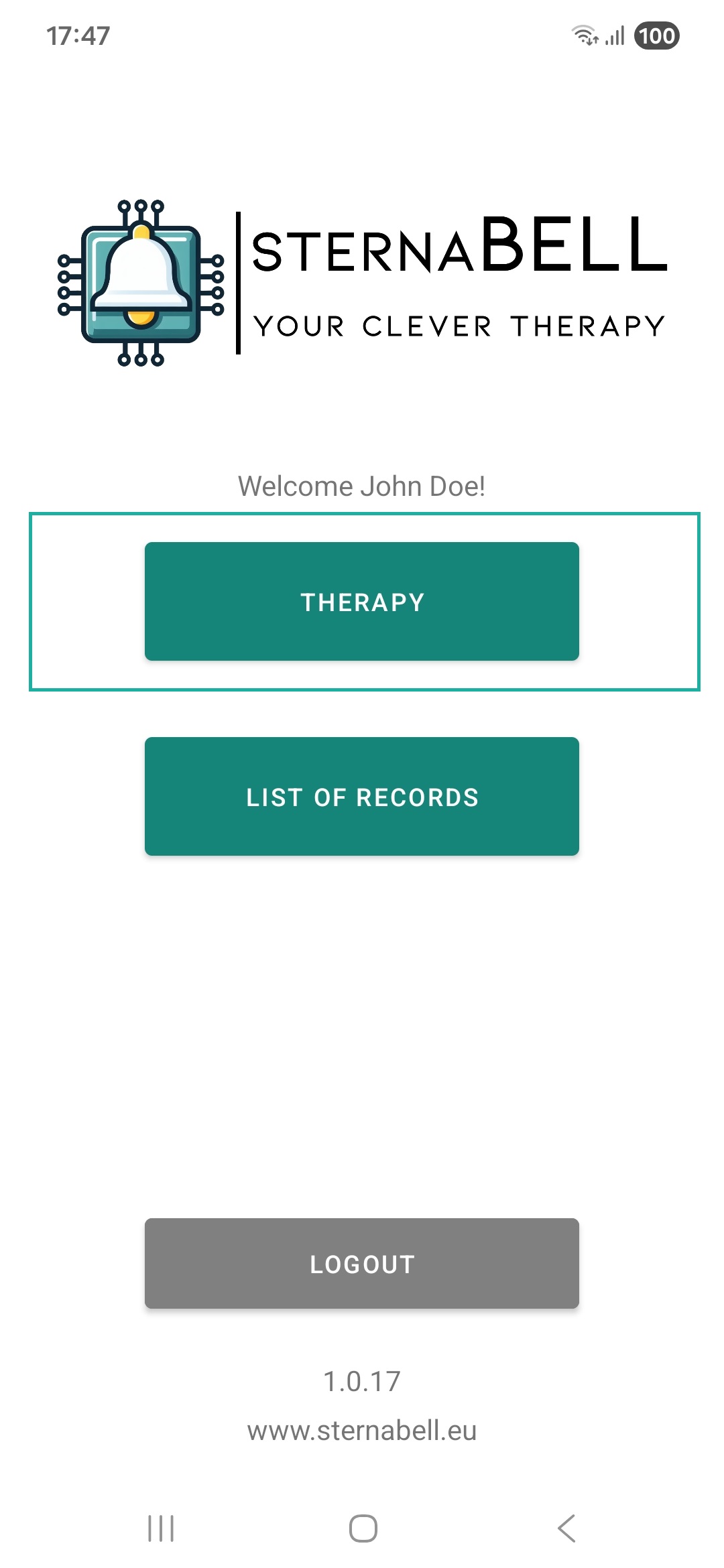
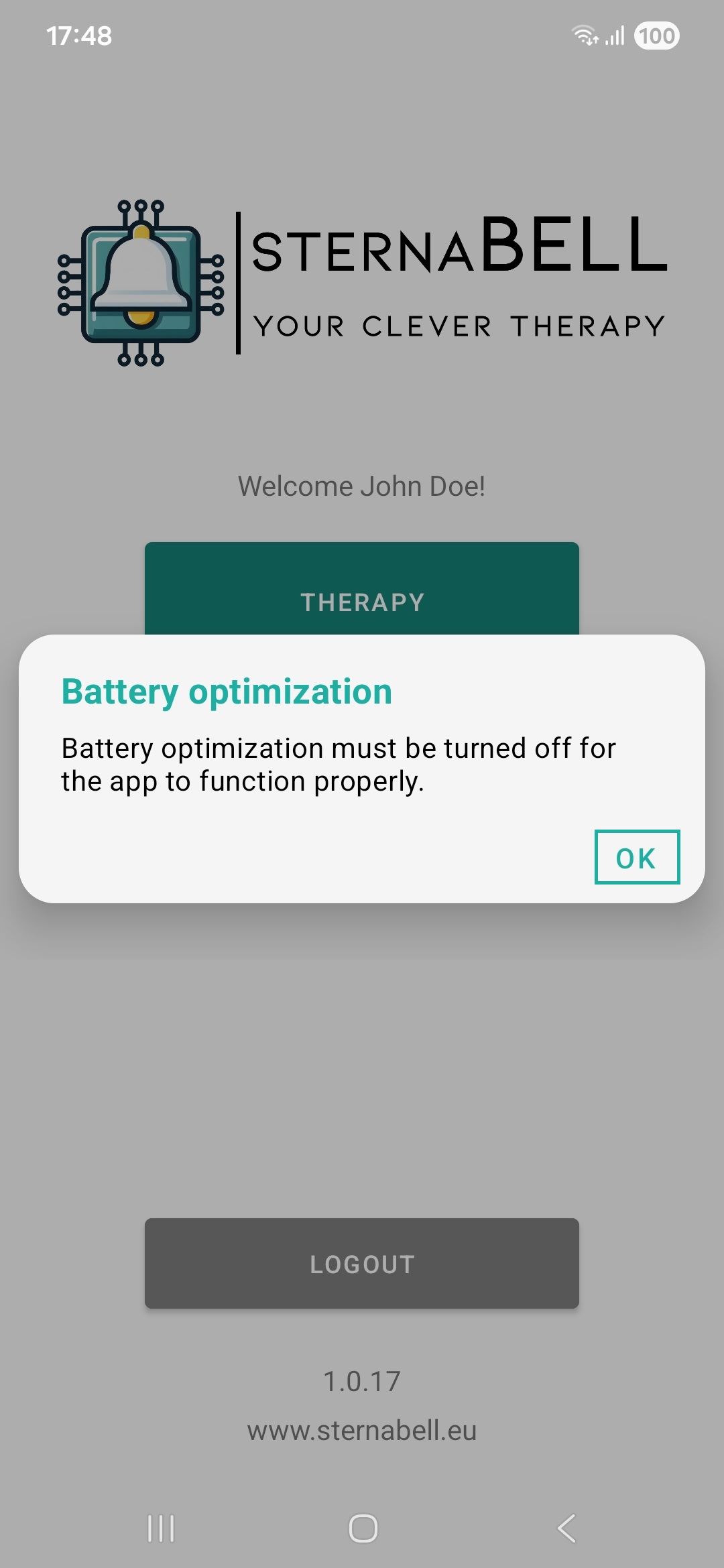
The procedure for disabling battery optimization (battery saving) varies depending on the phone manufacturer. The procedure below was tested for Samsung phones and may differ for your device! You may need to manually disable battery optimization for the SternaBell app in your phone's settings.
After clicking OK, the battery optimization settings screen will open, where you should disable optimization using the following steps:
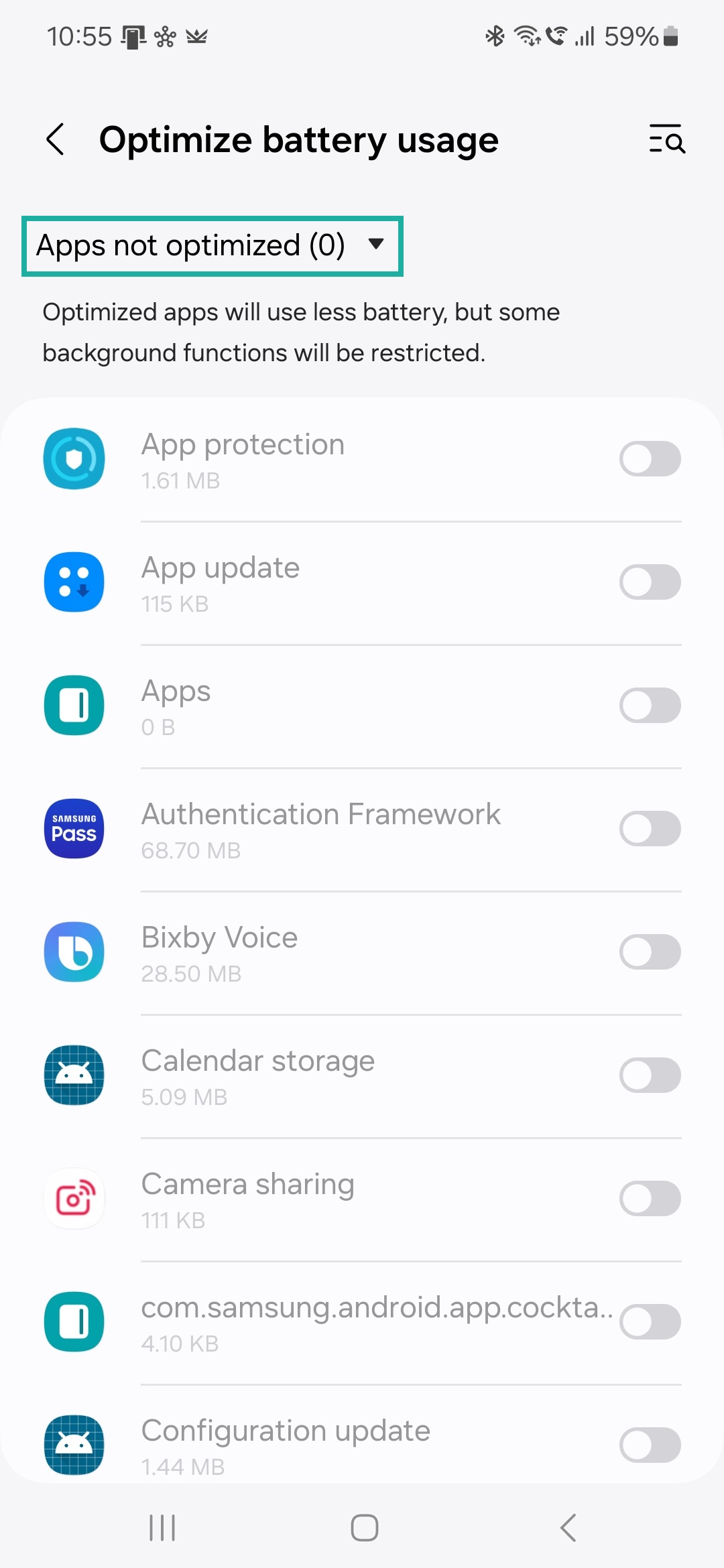
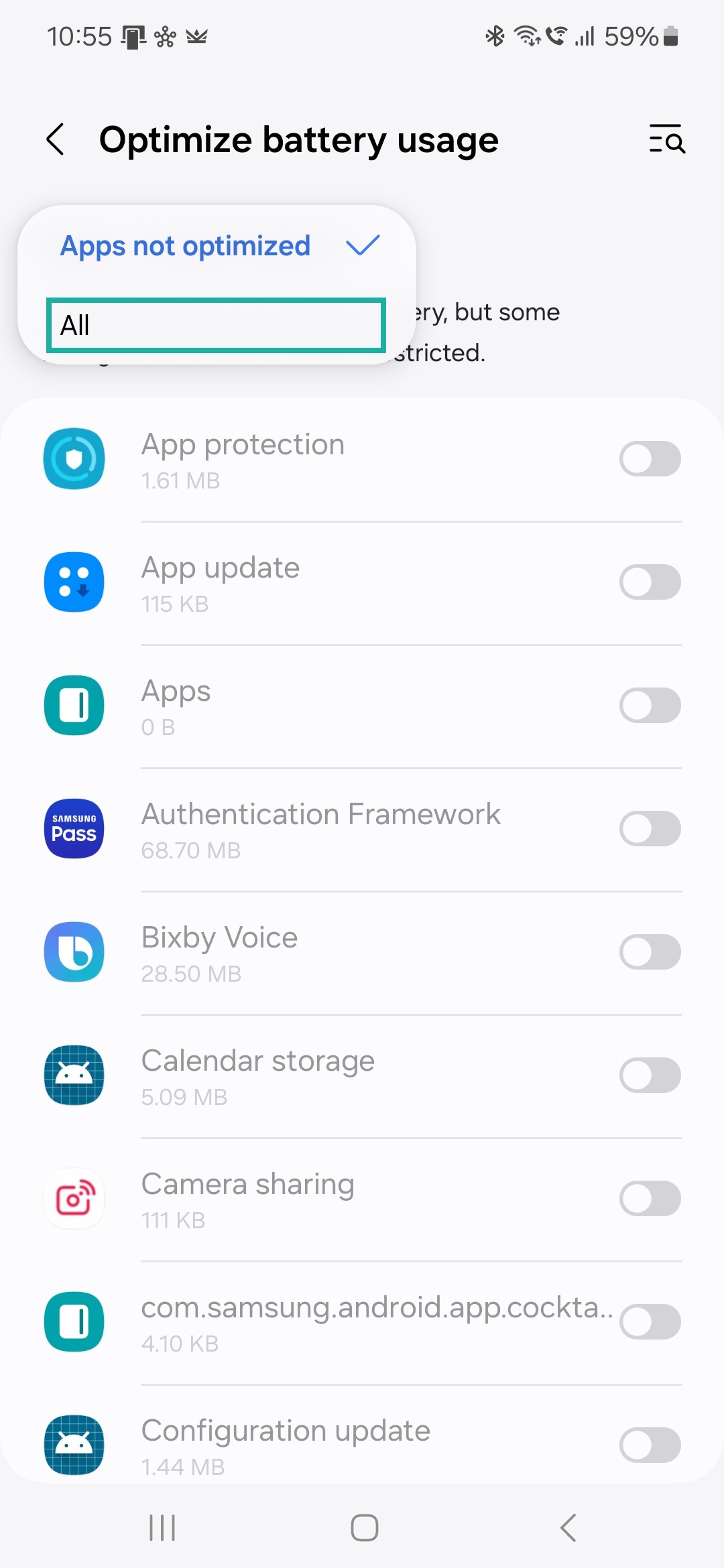
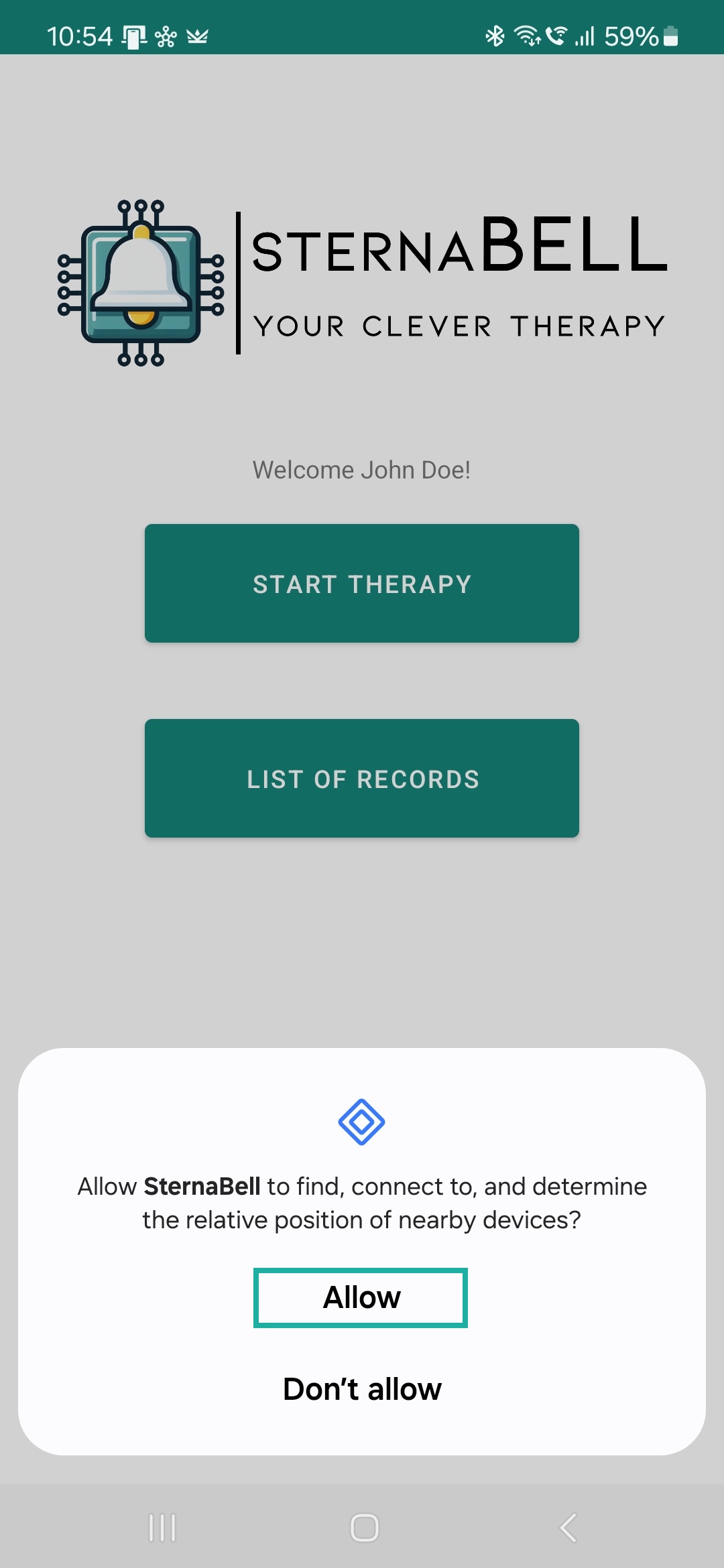
After setting unrestricted battery usage and clicking the THERAPY button again, a request to allow searching for nearby devices will appear:
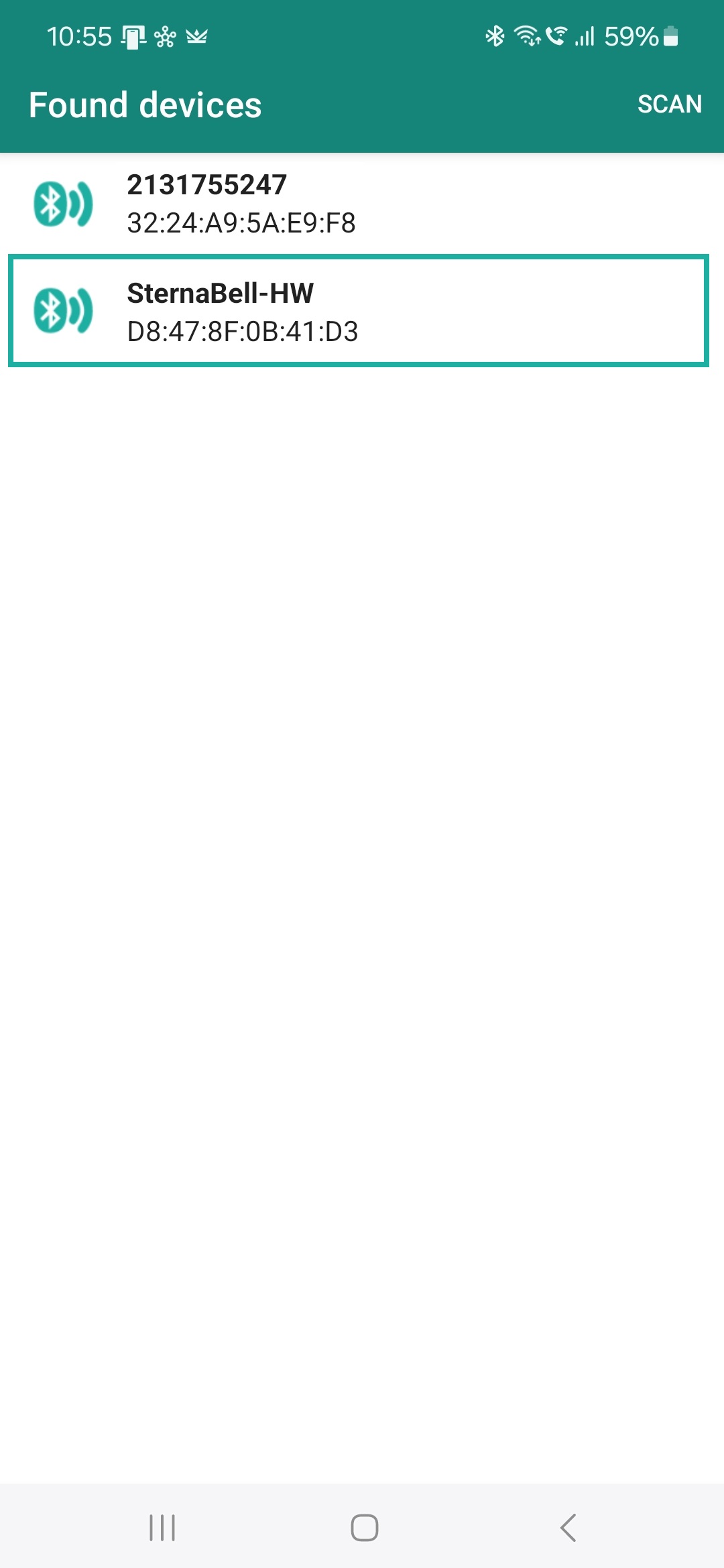
After allowing the search for nearby devices, a list of found devices will be displayed. The app searches for the SternaBell-HW device and automatically connects to it. If the device is not found, ensure that the device is turned on and the blue LED is flashing. If the device is on but still not visible, try turning the device off and on again. To search for nearby devices again, click SEARCH in the top right corner of the screen.
After these initial settings and after setting the required vacuum pressure inside the bell, you can start the therapy by pressing the START THERAPY button.
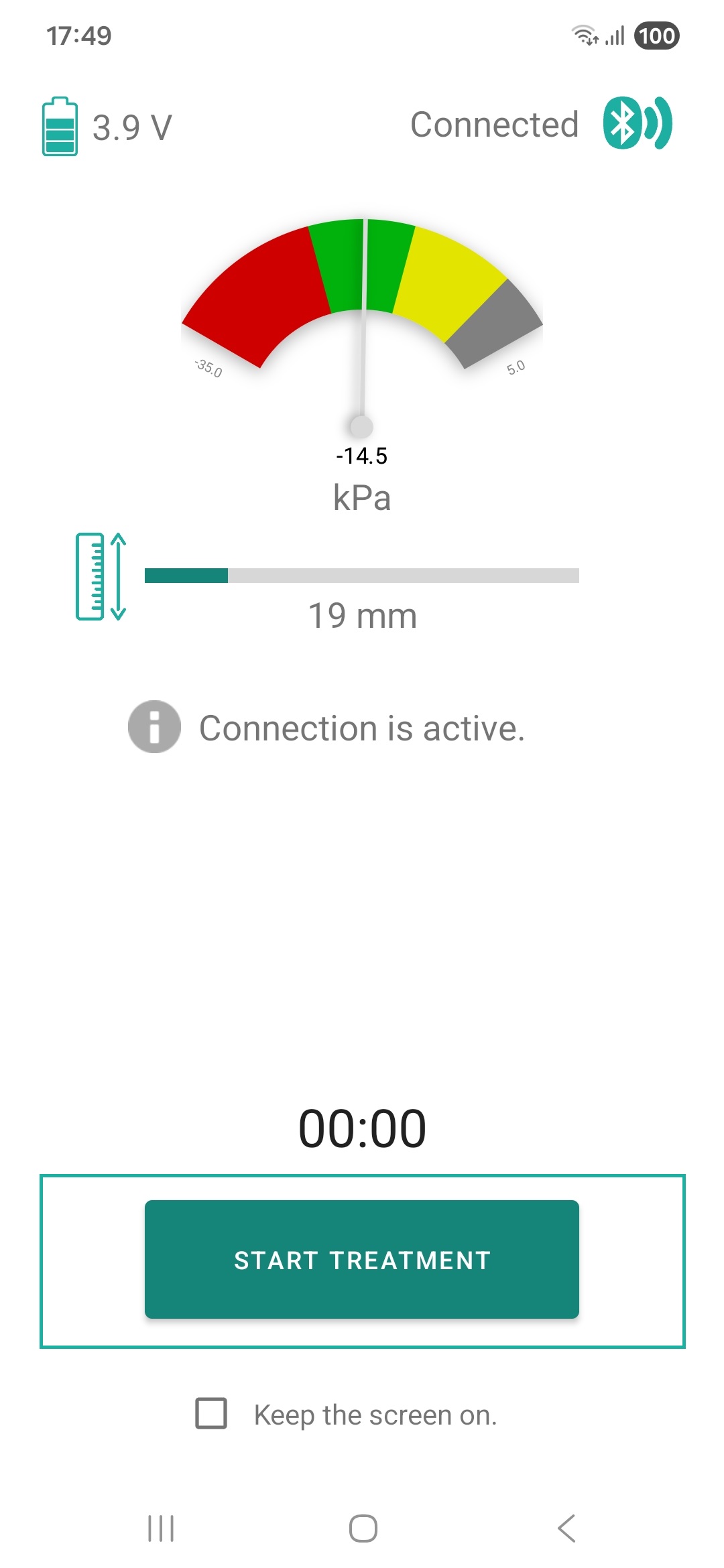
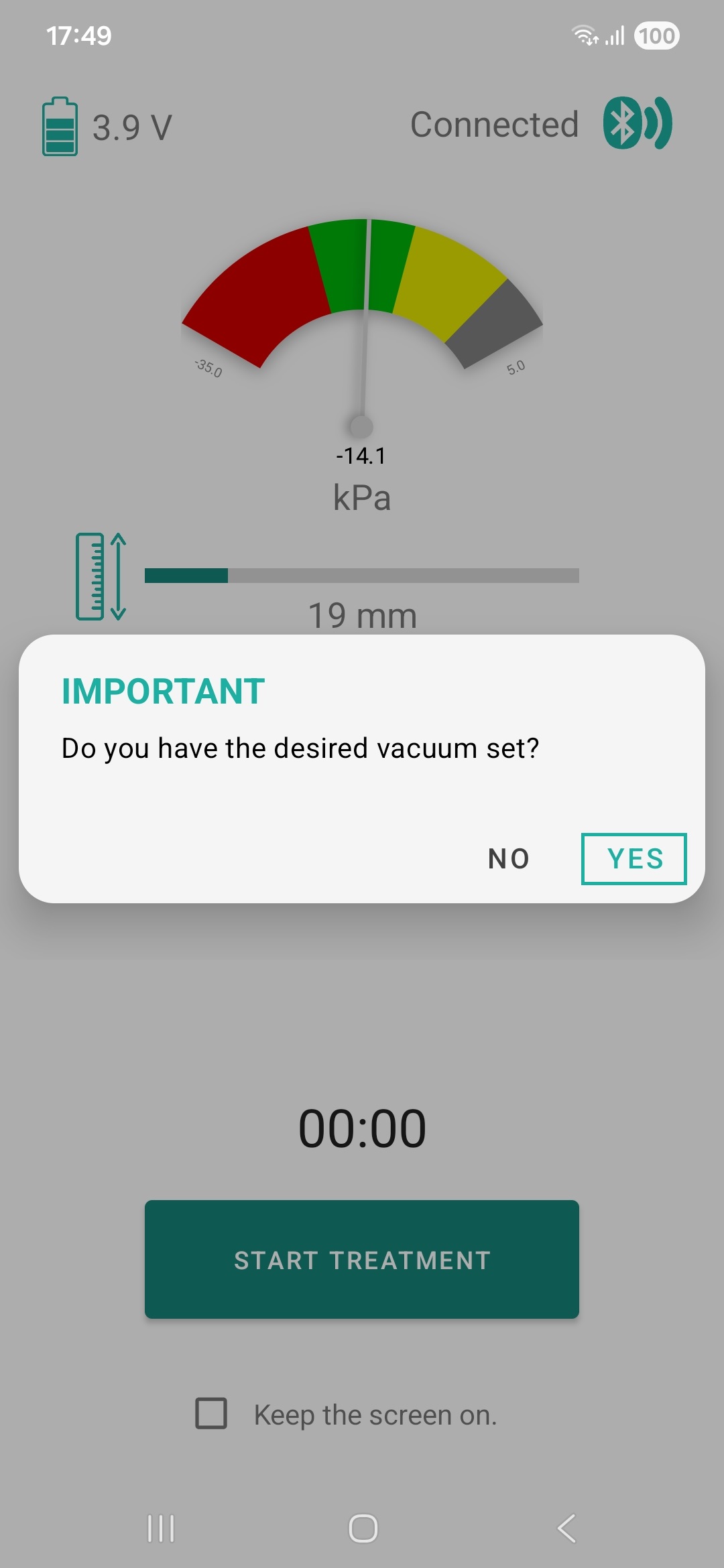
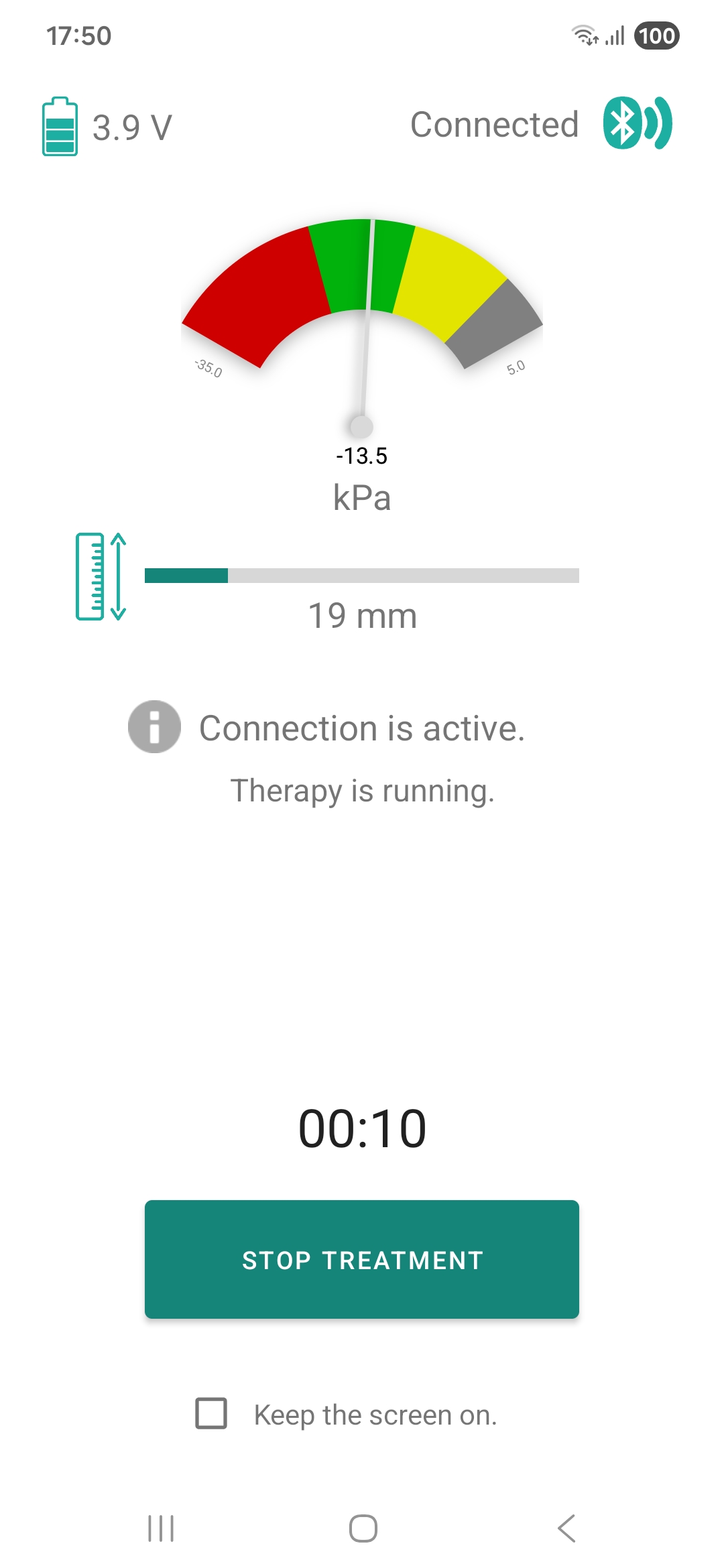
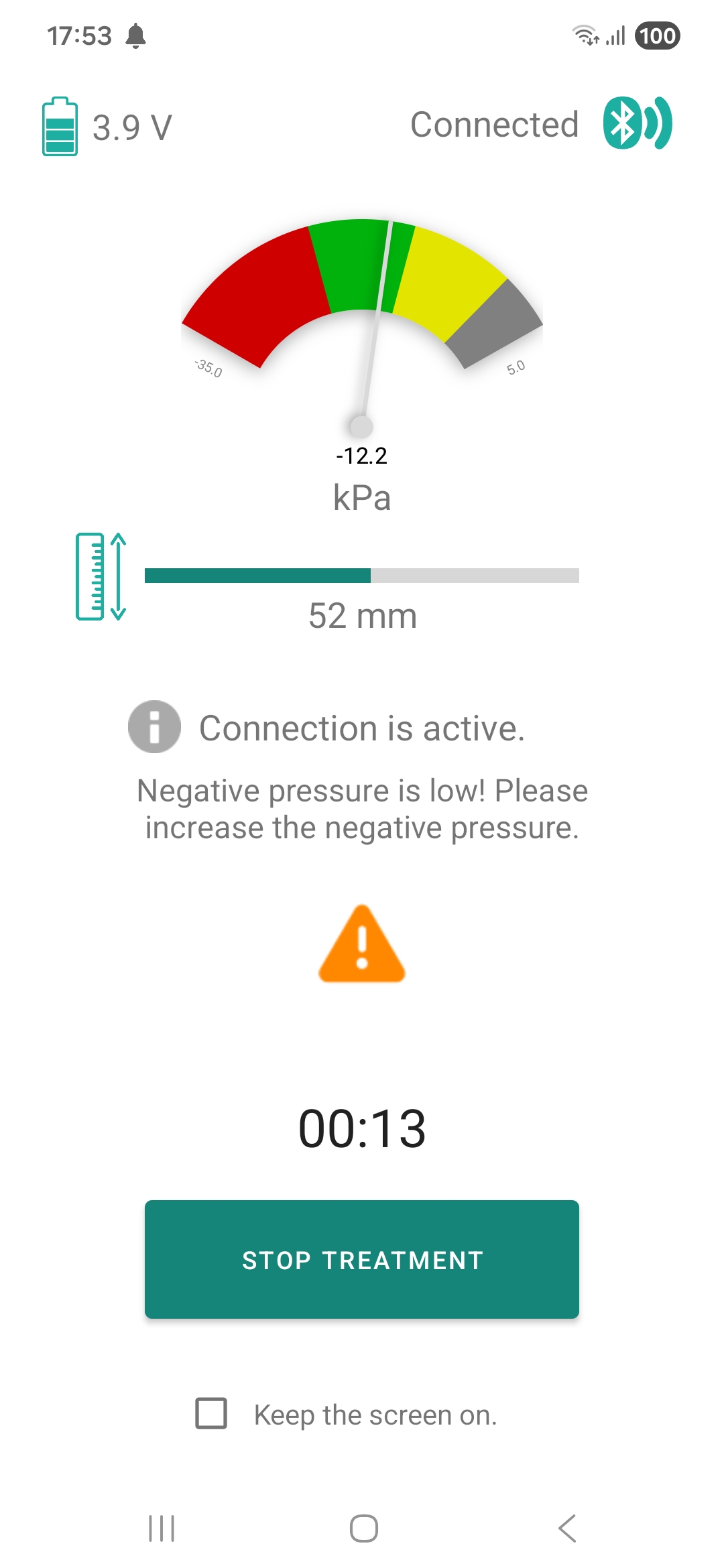
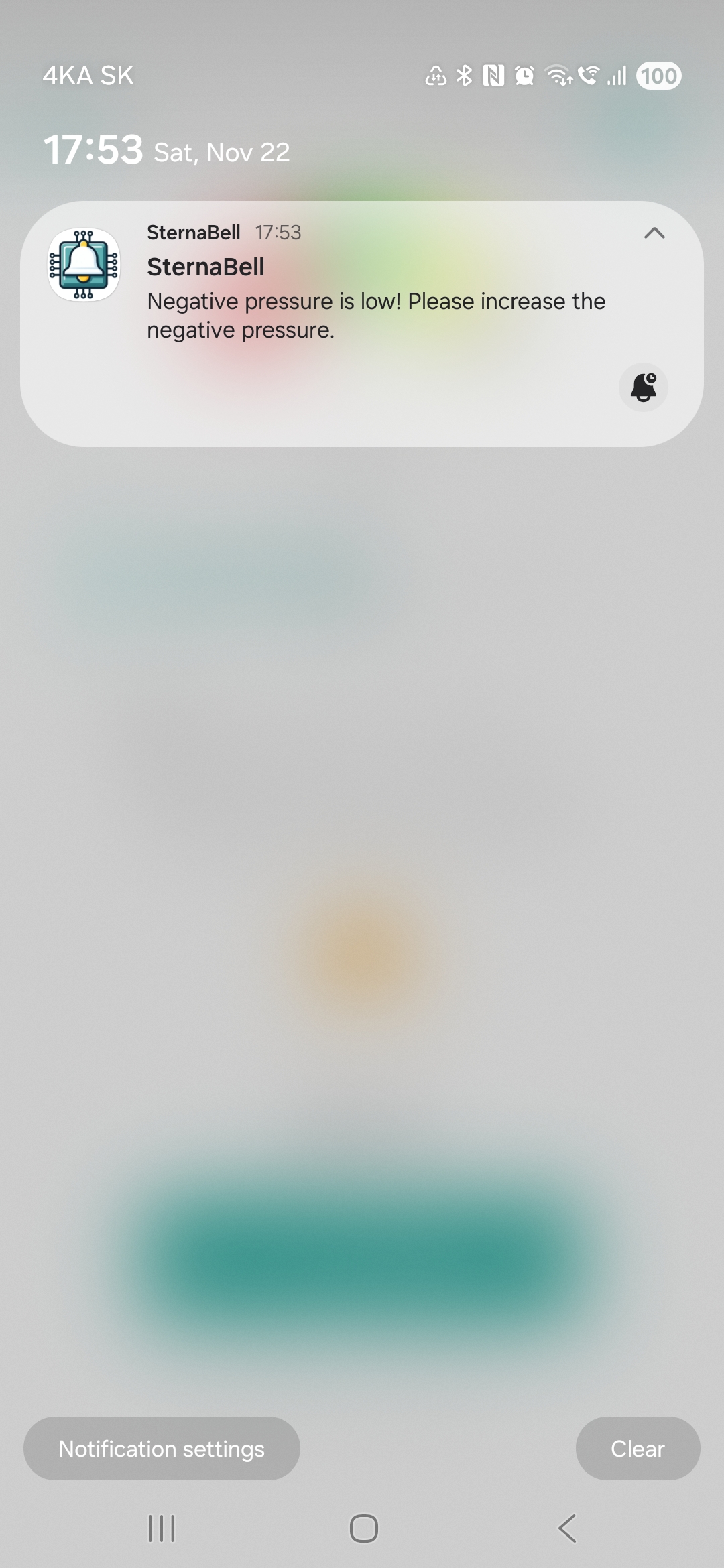
In case of a vacuum pressure drop inside the bell, the app will alert you by displaying a notification as shown in the images below.
Troubleshooting
I don't have an internet connection available. Will the app work?
- Yes, the app does not require a constant internet connection. An internet connection is only necessary for the first login. Measured data stored in the phone's memory is synchronized with the server every time the app is launched. This means that if there is unsent data on the phone, it will be sent when an internet connection is available upon launching the app.
Can I move away from the phone during measurement?
- Yes, although it is not recommended. Bluetooth has a range of approximately 10 m. At greater distances, communication is interrupted, but communication should be automatically restored when the device and phone are back in range.
During therapy (measurement), the app crashed and closed. Is it possible to retrieve the measured data from the device?
- Yes, although it is not guaranteed and depends on the type of error. In case of a connection interruption, the device continues to collect and store data. If you want to retrieve this data, do not turn off the device under any circumstances! Restart the app and connect to the device via Bluetooth. Unsaved measured data should automatically be copied from the device to the phone.
I cannot connect to the SternaBell-HW device because I don't see it in the list of devices. What should I do?
- Turn off the device using the switch, wait a moment, and turn it back on. Then, search for devices in the app. The SternaBell-HW device should now be visible.
- If it is still not visible in the list, check the blue LED, which should flash 1x every 3 seconds. If it does not flash this way, but:
- does not flash at all and the device is on (switch position ), the device is likely discharged. Connect the charger and charge the device.
- flashes 2x every 1.5 seconds, the device is already connected to another mobile phone (if you previously used SternaBell on a different phone), or to your phone due to an error. In this case, turn off the device using the switch and turn off Bluetooth from your phone's menu. Then turn Bluetooth back on and turn on the device using the switch. The SternaBell-HW device should now be visible.
The SternaBell-HW device is not communicating with the phone/tablet, even though the LED indicates a connection (blue LED flashes 2× in succession followed by a pause). What to do?
- Solution 1:
- Turn off the device using the switch.
- Turn off Bluetooth on your phone/tablet.
- Wait a few seconds.
- Turn Bluetooth back on.
- Turn on the device.
- Launch the app and try to re-establish the connection between the phone and SternaBell-HW.
- Solution 2: Clear the app's cache and data. The exact procedure may vary depending on the device type.
Example (Samsung phones): Settings → Apps → SternaBell → Storage → Clear data